
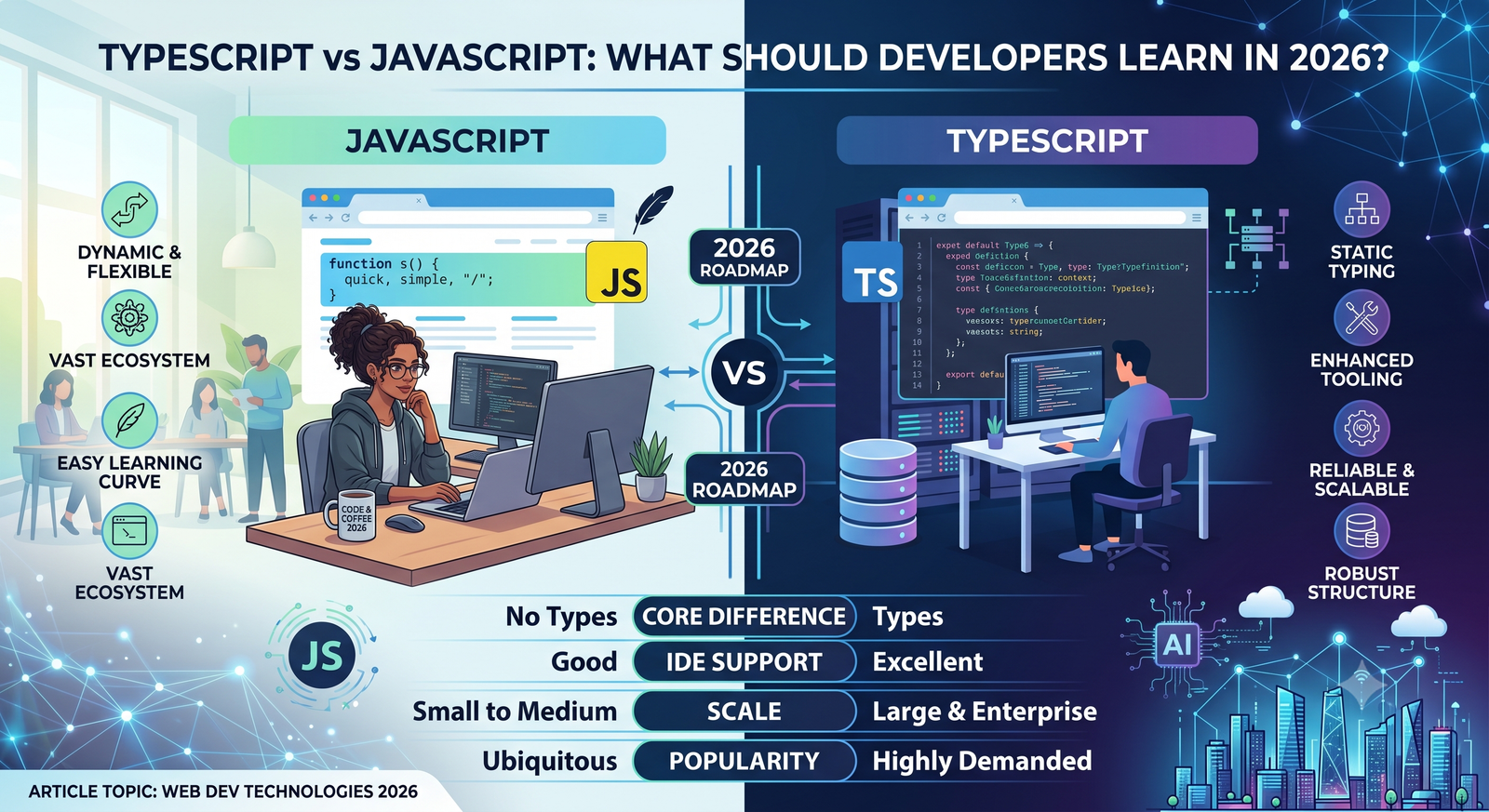
If you’re learning web development in 2026, JavaScript is difficult to avoid.
It runs in browsers, powers interactive websites, is widely used on servers, and sits underneath a huge ecosystem of frontend frameworks, backend tools, libraries, and development platforms.
But there’s another language that has become equally difficult to ignore: TypeScript.
If you’ve searched for frontend or backend development tutorials recently, you’ve probably encountered both. You may even see job descriptions asking for JavaScript and TypeScript experience together.
That raises an obvious question:
TypeScript vs JavaScript—which one should you learn?
The answer starts with an important distinction: TypeScript isn’t a completely separate alternative to JavaScript in the way Python and Java are separate languages. TypeScript builds on JavaScript and adds features, most notably static typing, that can help developers work with larger and more complex codebases.
JavaScript remains the foundation. TypeScript adds another layer on top of it.
For beginners, that relationship is important to understand before deciding what to learn first.
This guide explains the JavaScript vs TypeScript difference, how the two languages work, their benefits and trade-offs, and a practical learning path for developers in 2026.
What Is JavaScript?
JavaScript is a programming language that plays a central role in modern web development.
It was originally created to make web pages interactive, but its role has expanded considerably.
JavaScript can now be used for:
- Frontend web applications
- Backend services
- Mobile applications
- Desktop applications
- Serverless functions
- Browser extensions
- Automation
- Build tools
- Developer tooling
A simple JavaScript example looks like this:
const name = "Alex";

console.log(`Hello, ${name}`);
JavaScript is dynamically typed. A variable can hold a value of one type and later hold a value of another type.
For example:
let value = 10;

value = "Hello";
The language allows this.
That flexibility can be useful, especially when writing small scripts or experimenting quickly. But in larger applications, it can also allow certain mistakes to remain hidden until the code runs.
This is one of the problems TypeScript attempts to address.
What Is TypeScript?
TypeScript is a programming language developed by Microsoft that extends JavaScript with additional language features, most notably static typing.
A simple TypeScript example might look like:
let username: string = "Alex";
let age: number = 30;
You can also describe the expected shape of an object:
interface User {
  name: string;
  email: string;
  age: number;
}

const user: User = {
  name: "Alex",
  email: "alex@example.com",
  age: 30
};
The TypeScript compiler can identify certain problems before the application runs.
For example:
let age: number = 30;

age = "thirty";
TypeScript can report that a string cannot be assigned to a variable expected to contain a number.
That’s the central idea behind TypeScript: provide developers with additional information about the code so certain errors can be detected earlier.
TypeScript vs JavaScript: The Basic Difference
The simplest way to understand the TypeScript vs JavaScript difference is this:
JavaScript is the language browsers and JavaScript runtimes execute. TypeScript adds a type system and other development features, then is generally compiled or transformed into JavaScript.
A simplified workflow looks like this:
TypeScript Code
      ↓
TypeScript Compiler
      ↓
JavaScript
      ↓
Browser / JavaScript Runtime
For example, you might write:
function add(a: number, b: number): number {
  return a + b;
}
After the type information is removed during compilation, the runtime JavaScript is conceptually similar to:
function add(a, b) {
  return a + b;
}
The browser doesn’t need to understand the TypeScript type annotations.
It executes the resulting JavaScript.
Why Was TypeScript Created?
As JavaScript applications became larger, developers encountered challenges around maintainability.
A small script might contain a few variables and functions.
A large application might contain:
Hundreds of files
Thousands of functions
Multiple developers
Shared components
External APIs
Complex data structures
Long-term maintenance
When many parts of an application depend on each other, it becomes useful to know what kind of data each function expects and returns.
Consider this JavaScript function:
function calculateTotal(price, quantity) {
  return price * quantity;
}
It looks simple.
But what should happen if someone passes:
calculateTotal("100", 2);
JavaScript’s behavior may not match what the developer intended.
In TypeScript, you can make the expected inputs explicit:
function calculateTotal(price: number, quantity: number): number {
  return price * quantity;
}
Now the development tools can flag incorrect usage.
This doesn’t eliminate bugs, but it can prevent an important category of mistakes.
TypeScript Benefits
One reason TypeScript has become popular is that its benefits become more noticeable as projects grow.
1. Static Type Checking
The most obvious benefit is type checking.
You can describe the expected type of a value:
let productName: string;
let productPrice: number;
let inStock: boolean;
If code later uses these variables incorrectly, your editor or compiler can provide a warning.
This allows developers to catch certain problems before runtime.
2. Better Editor Support
Type information can help development tools understand your code.
Modern editors can provide:
- Autocomplete
- Parameter suggestions
- Inline error messages
- Safer refactoring
- Navigation to definitions
- Better documentation hints
For a large project, this can save considerable time.
3. Easier Refactoring
Imagine changing a function used throughout a large application.
Without clear types, you may need to search through the codebase and manually determine how the function is being used.
With TypeScript, type information can help development tools identify incompatible usages.
That makes large refactors easier to manage.
4. Better Documentation
Types can communicate intent.
Compare:
function getUser(id) {
  // ...
}
with:
function getUser(id: number): Promise<User> {
  // ...
}
The second version immediately communicates more about the function’s expected input and output.
Types aren’t a replacement for documentation, but they can make code easier to understand.
JavaScript Programming: Why It Still Matters
It would be a mistake to interpret TypeScript’s popularity as meaning JavaScript is no longer important.
Quite the opposite.
TypeScript depends on JavaScript concepts.
To become productive with TypeScript, you need to understand:
- Variables
- Functions
- Objects
- Arrays
- Scope
- Closures
- Events
- Promises
- Async/await
- Modules
- Classes
- The DOM
- APIs
- Error handling
TypeScript doesn’t replace these concepts.
It adds another layer.
A developer who knows TypeScript syntax but doesn’t understand JavaScript fundamentals can struggle when debugging runtime behavior.
That’s why JavaScript programming remains an important foundation.
TypeScript vs JavaScript Syntax
The syntax can look remarkably similar.
JavaScript:
function greet(name) {
  return `Hello, ${name}`;
}
TypeScript:
function greet(name: string): string {
  return `Hello, ${name}`;
}
The TypeScript version adds type information.
For many developers, this makes TypeScript relatively approachable once they understand JavaScript.
Other TypeScript features include:
- Interfaces
- Type aliases
- Generics
- Enums
- Union types
- Intersection types
- Access modifiers
- Utility types
- Type narrowing
You don’t need to learn every feature immediately.
Start with the type system and gradually introduce more advanced concepts.
JavaScript vs TypeScript Difference in Real Projects
The difference becomes clearer when you look at a realistic application.
Suppose an API returns a customer:
{
  "id": 25,
  "name": "Taylor",
  "email": "taylor@example.com"
}
In JavaScript, you might access:
customer.name;
The developer has to know what properties the object contains.
In TypeScript, you can define the expected structure:
interface Customer {
  id: number;
  name: string;
  email: string;
}
Now your editor understands that a Customer should have those properties.
If you accidentally write:
customer.emial;
the development tools can identify the typo.
This becomes increasingly useful when applications have hundreds of components and multiple developers.
Does TypeScript Improve Runtime Performance?
Not automatically.
This is an important point.
TypeScript’s types primarily help during development and compilation. Those types are generally removed from the JavaScript output.
So adding:
const age: number = 25;
doesn’t mean the browser receives a special “typed number” that automatically makes the program faster.
Performance depends on the generated JavaScript, application architecture, algorithms, browser behavior, network conditions, and many other factors.
TypeScript’s main value is developer safety and maintainability, not automatically faster runtime execution.
TypeScript Development With Frontend Frameworks
TypeScript is widely used with modern frontend development.
For example, React projects can use TypeScript to define component props:
interface ButtonProps {
  label: string;
  disabled?: boolean;
}

function Button({ label, disabled }: ButtonProps) {
  return (
    <button disabled={disabled}>
      {label}
    </button>
  );
}
This makes the component’s expected data explicit.
If another developer tries to provide an incompatible value, their editor can flag the problem.
TypeScript can similarly be used with other frontend technologies and application frameworks.
This is one reason learning TypeScript can be valuable for developers working on modern frontend applications.
TypeScript for Backend Development
TypeScript isn’t limited to browsers.
It can also be used for backend development in JavaScript runtime environments.
A backend API might define a request structure:
interface CreateUserRequest {
  name: string;
  email: string;
}
This can make API contracts easier to understand within the application.
TypeScript is particularly useful when a project contains both frontend and backend code because teams can share certain type definitions or schemas where appropriate.
For example:
Frontend
   ↓
Shared Types
   ↓
Backend API
   ↓
Database
This doesn’t guarantee that the frontend and backend will always agree, but it can reduce certain mismatches during development.
Is TypeScript Harder Than JavaScript?
Initially, yes, there can be an additional learning curve.
With JavaScript, you can write:
let value = "hello";
With TypeScript, you can optionally be more explicit:
let value: string = "hello";
Then you encounter concepts such as:
type User = {
  id: number;
  name: string;
};
and:
function getValue<T>(value: T): T {
  return value;
}
Generics, union types, interfaces, utility types, and type narrowing can take time to understand.
However, you don’t need to master advanced TypeScript before building useful applications.
Start small.
Learn enough of the type system to understand what the compiler is telling you.
Then gradually expand your knowledge.
Should Beginners Learn JavaScript or TypeScript First?
For most people completely new to programming, learning JavaScript fundamentals first is a sensible approach.
Why?
Because TypeScript is built around JavaScript.
If you don’t understand:
const user = {
  name: "Alex"
};
then adding a type annotation doesn’t solve the underlying problem.
A good beginner path is:
HTML
 ↓
CSS
 ↓
JavaScript fundamentals
 ↓
DOM and browser APIs
 ↓
Async JavaScript
 ↓
TypeScript
 ↓
Frontend framework
You don’t need to spend years writing plain JavaScript before touching TypeScript.
Once you are comfortable with core JavaScript concepts, you can start adding TypeScript relatively early.
Should Experienced JavaScript Developers Learn TypeScript?
For developers already comfortable with JavaScript, learning TypeScript can be a natural next step.
You already understand the underlying language.
Now you can learn how the type system helps you describe your code.
Start with:
- Primitive types
- Arrays
- Objects
- Function types
- Interfaces
- Type aliases
- Union types
- Type narrowing
- Generics
- Utility types
Then learn how TypeScript works with your framework and build tools.
The best way to learn isn’t by reading every feature in the documentation.
Use it while building something.
TypeScript Tutorial: A Simple Example
Let’s say you’re building a shopping cart.
In JavaScript:
function addItem(cart, item) {
  cart.push(item);
}
In TypeScript, you can define the shape of the item:
interface CartItem {
  id: number;
  name: string;
  price: number;
}

function addItem(cart: CartItem[], item: CartItem): void {
  cart.push(item);
}
Now the function communicates:
cartmust be an array ofCartItemitemmust be aCartItem- The function doesn’t return a value
If someone tries:
addItem(cart, {
  id: 1,
  name: "Keyboard"
});
the missing price property can be detected during development.
This is the practical value of TypeScript.
TypeScript Limitations
TypeScript has many benefits, but it isn’t magic.
It Doesn’t Eliminate All Bugs
TypeScript can catch type-related problems, but it doesn’t automatically detect every logic error.
This code can still be logically wrong:
function calculateDiscount(price: number): number {
  return price * 0.9;
}
The types are valid.
The business rule might not be.
It Adds Build Complexity
TypeScript introduces compilation and configuration.
Developers need to understand things such as:
tsconfig.json- Compiler options
- Build tools
- Type declarations
- Module systems
Modern tooling makes much of this easier, but it is still another layer.
Types Can Become Complicated
A poorly designed type system can make code harder to understand.
Developers sometimes create extremely complex generic types when a simpler design would be easier to maintain.
Types should help the code communicate intent—not become an obstacle themselves.
JavaScript Advantages
JavaScript remains popular for good reasons.
Simple to Start
You can write JavaScript directly in a browser.
There is no requirement to learn a type system before making something interactive.
Huge Ecosystem
JavaScript has an enormous collection of libraries, frameworks, tutorials, tools, and developer resources.
Runs Everywhere
JavaScript is supported by modern browsers and many server-side and application environments.
Flexible
Its dynamic nature can make experimentation and rapid prototyping straightforward.
Essential Web Skill
Even developers who primarily use TypeScript need to understand JavaScript because TypeScript ultimately builds upon it.
TypeScript Benefits for Large Teams
The advantages of TypeScript often become more noticeable when many developers work on the same application.
Imagine a project with:
10 developers
500 components
Multiple APIs
Shared data models
Long-term maintenance
Types can provide a shared language for describing data.
A developer opening an unfamiliar function can often understand its inputs and outputs without reading every implementation detail.
This can reduce certain categories of mistakes and make refactoring safer.
Again, TypeScript doesn’t solve team communication by itself. Good architecture, documentation, testing, code review, and development practices remain important.
TypeScript vs JavaScript for Jobs
If you’re thinking about employment, learning both is generally more useful than treating them as competing skills.
Many modern development roles involve both languages because TypeScript development builds directly on JavaScript concepts.
A developer might write:
JavaScript concepts
       +
TypeScript
       +
React / Angular / Vue / another framework
       +
APIs
       +
Testing
       +
Git
The exact stack varies by organization.
Instead of focusing only on whether a job title says “JavaScript developer” or “TypeScript developer,” look at the technologies used in the actual role.
Understanding JavaScript fundamentals gives you a stronger foundation for adapting to different codebases.
TypeScript vs JavaScript in 2026
In 2026, the practical question is increasingly not:
Should I learn JavaScript or TypeScript?
It’s:
How well do I understand JavaScript, and how effectively can I use TypeScript when a project benefits from it?
JavaScript remains fundamental.
TypeScript has become an important part of modern application development, particularly in codebases where type safety, tooling, and maintainability matter.
For a beginner, JavaScript fundamentals should remain the foundation.
For developers already comfortable with JavaScript, TypeScript is a valuable skill to add.
Which One Should You Learn?
Here’s a practical way to think about it.
Learn JavaScript First If:
- You’re completely new to programming.
- You don’t understand core JavaScript concepts yet.
- You’re learning browser fundamentals.
- You want to understand how web applications actually work.
- You’re still learning functions, objects, arrays, promises, and modules.
Add TypeScript If:
- You’re comfortable with JavaScript.
- You’re building larger applications.
- You’re working with a modern frontend framework.
- You want stronger editor support.
- You want to catch certain mistakes before runtime.
- You’re working on a team.
- You’re maintaining a large codebase.
Learn Both If:
You’re serious about modern web development.
You don’t have to master them simultaneously.
Learn JavaScript deeply enough to understand what’s happening, then use TypeScript to make larger projects more predictable and maintainable.
A Practical 2026 Learning Roadmap
If you’re starting from scratch, this roadmap can work well:
Step 1: Learn Web Fundamentals
Start with:
- HTML
- CSS
- Basic browser concepts
Step 2: Learn JavaScript
Focus on:
- Variables
- Data types
- Functions
- Objects
- Arrays
- Loops
- Conditions
- Modules
- DOM manipulation
- Events
Step 3: Learn Modern JavaScript
Then move into:
- Promises
- Async/await
- Fetch
- APIs
- Error handling
- ES modules
- Destructuring
- Array methods
Step 4: Learn TypeScript
Start with:
- Basic types
- Object types
- Interfaces
- Type aliases
- Function types
- Unions
- Narrowing
- Generics
Step 5: Build a Real Application
Build something such as:
- Task manager
- Blog
- E-commerce frontend
- Dashboard
- API-driven application
Use TypeScript as you build rather than learning every feature separately.
Step 6: Learn a Framework
Once your JavaScript and TypeScript foundations are solid, learn a frontend framework relevant to your goals.
The framework becomes easier to understand when you already know the language underneath it.
Final Thoughts
The TypeScript vs JavaScript debate can make the two technologies sound like competing choices.
They aren’t quite that simple.
JavaScript is the foundation. TypeScript extends JavaScript with static typing and additional development features that can make larger codebases easier to understand, refactor, and maintain.
JavaScript remains essential because it teaches the concepts that TypeScript builds upon.
TypeScript is valuable because it gives developers additional tools for managing complexity.
For someone completely new to programming, start with JavaScript. Learn how the language works, how browsers work, how asynchronous code works, and how applications communicate with APIs.
Once those concepts make sense, add TypeScript.
For experienced JavaScript developers, there’s little reason to treat TypeScript as an entirely separate world. Learn the type system, use it in a real project, and gradually explore its more advanced features.
The most useful approach to TypeScript vs JavaScript in 2026 isn’t choosing one and ignoring the other. It’s understanding JavaScript well and knowing when TypeScript’s additional capabilities can make your development workflow more reliable.
The languages work best as complementary skills—and for developers building modern web applications, knowing how they fit together is more valuable than memorizing arguments about which one is “better.”