
Learning web development can be exciting. You write your first HTML page, add some CSS, make a button respond to a click, connect an API, and suddenly you’re building something that actually works in a browser.
Then the projects get bigger.
A page becomes a website. A website becomes an application. New features are added, the codebase grows, and small shortcuts that seemed harmless at the beginning start causing problems.
This is where many beginners discover an important lesson: writing code that works is not always the same as writing code that is reliable, maintainable, secure, and easy to improve.
The good news is that many of the most common web development mistakes are avoidable.
You don’t need to write perfect code from day one. You need to develop habits that prevent small problems from turning into major ones.
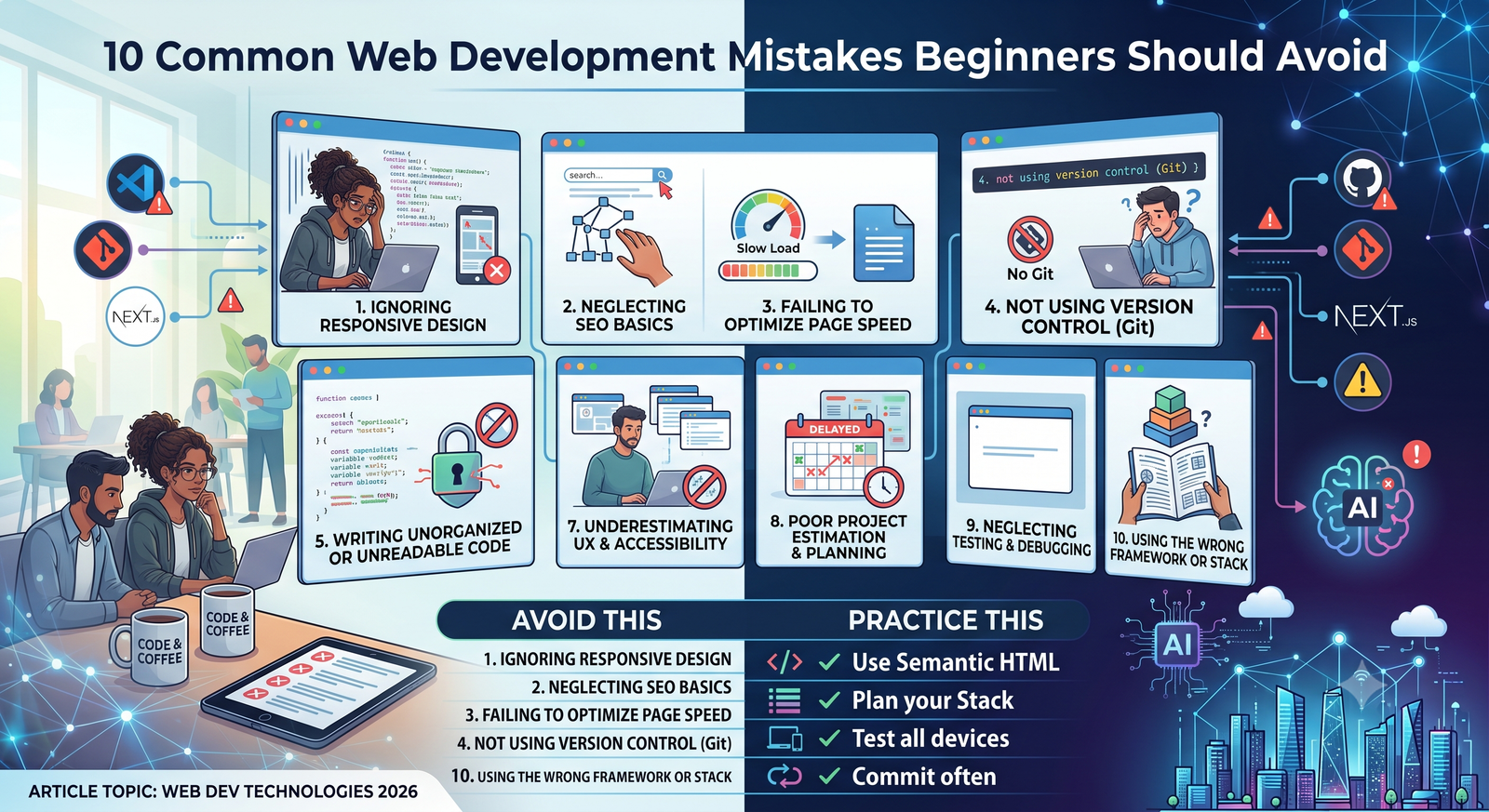
In this guide, we’ll look at 10 common mistakes beginners make in web development, why they cause trouble, and what you can do instead.
1. Trying to Learn Everything at Once
One of the biggest mistakes in beginner web development is trying to learn every technology simultaneously.
A beginner might create a learning list that looks like this:
HTML
CSS
JavaScript
React
Next.js
Node.js
PHP
Python
SQL
Docker
Git
AWS
TypeScript
MongoDB
All of these technologies can be useful, but learning them simultaneously can make it difficult to understand the fundamentals.
You end up jumping from tutorial to tutorial without becoming comfortable with any one concept.
A Better Approach
Build your knowledge gradually.
A simple progression might look like:
HTML
 ↓
CSS
 ↓
JavaScript
 ↓
Git
 ↓
APIs
 ↓
Frontend framework
 ↓
Backend
 ↓
Database
The exact order can change depending on your goals, but the principle remains the same.
Learn enough of one layer to understand what it does before adding another.
You don’t need to know every modern framework before you can build useful websites.
2. Copying Code Without Understanding It
Copying code isn’t inherently bad.
Developers regularly use documentation, examples, open-source projects, and community resources.
The problem is copying code that you don’t understand and then building your entire application around it.
For example, you might find a JavaScript solution that fixes a problem:
someFunction();
It works, so you move on.
Later, something breaks. You don’t know what the function does, why it was needed, or what assumptions it makes.
Now you’re debugging code that you didn’t really understand in the first place.
Use Examples as Learning Tools
When you copy an example, ask:
- What does each part do?
- What inputs does it expect?
- What does it return?
- Why is this approach being used?
- What happens if the input changes?
- Is there a simpler solution?
You don’t have to understand every line of a large library immediately.
But you should understand the code you’re responsible for maintaining.
One of the most useful web developer tips for beginners is simple: don’t just copy a solution—take a few minutes to understand why it works.
3. Ignoring HTML and CSS Fundamentals
Frameworks are exciting.
React, Vue, Angular, Svelte, and other frontend technologies can help you build sophisticated applications.
But jumping into a framework without understanding HTML, CSS, and JavaScript can create unnecessary problems.
A framework doesn’t replace web fundamentals.
You should understand concepts such as:
- Semantic HTML
- Forms
- CSS selectors
- The box model
- Flexbox
- Grid
- Responsive layouts
- JavaScript variables
- Functions
- Objects
- Arrays
- Events
- Asynchronous operations
For example, if you don’t understand CSS layout, adding another component library isn’t going to magically solve a broken responsive design.
Likewise, if you don’t understand JavaScript events, a framework’s event-handling syntax can feel like memorizing rules rather than understanding what is happening.
Build Without the Framework Sometimes
Try creating a few small projects with plain HTML, CSS, and JavaScript.
A calculator, landing page, form, navigation menu, or simple API-based application can teach you fundamentals that remain useful regardless of which framework you eventually use.
4. Writing Code That Only Works on Your Computer
A website that works perfectly on your machine isn’t necessarily finished.
Beginners sometimes test an application only in their own environment.
Then they discover problems when someone else opens it.
Different devices and environments can expose issues with:
- Screen sizes
- Browsers
- Operating systems
- Network speeds
- JavaScript support
- Fonts
- File paths
- Environment variables
- Server configuration
This is especially important for responsive websites.
A page might look excellent on your laptop but be difficult to use on a phone.
Test Different Conditions
You don’t need hundreds of devices.
Start by testing:
- A desktop-sized screen
- A tablet-sized viewport
- A mobile viewport
- At least a couple of major browsers
- Slow or unstable network conditions where relevant
And don’t test only the happy path.
Try entering invalid information.
Submit empty forms.
Resize the browser.
Turn off JavaScript if appropriate for your testing goals.
Try unusually long text.
Good testing reveals assumptions you didn’t realize your code was making.
5. Ignoring Responsive Design
One of the most common website development mistakes is designing for a single screen size.
Modern websites are accessed from phones, tablets, laptops, desktops, and increasingly varied screen configurations.
A responsive design should adapt to different viewport sizes rather than assuming everyone has the same display.
For example, this layout:
Desktop:

[Sidebar] [Main Content] [Extra Panel]
might need to become:
Mobile:

[Menu]
[Main Content]
[Extra Panel]
Think Beyond “Mobile vs Desktop”
Responsive design isn’t just about adding a media query at the end of a project.
Consider responsive behavior from the beginning.
Think about:
- Flexible widths
- Responsive images
- Navigation
- Typography
- Touch targets
- Forms
- Tables
- Content hierarchy
- Spacing
A good responsive website remains usable rather than simply becoming smaller.
6. Neglecting Accessibility
Accessibility is sometimes treated as something to fix after the website is finished.
That approach can make accessibility much harder to implement.
Basic accessibility should be considered during development.
Use semantic HTML where appropriate.
For example:
<button>Submit</button>
is generally preferable to:
<div onclick="submitForm()">Submit</div>
The semantic button already communicates its purpose to browsers and assistive technologies and supports expected keyboard behavior.
Other basic considerations include:
- Meaningful headings
- Labels for form fields
- Keyboard navigation
- Sufficient text contrast
- Alternative text for meaningful images
- Visible focus states
- Descriptive link text
Accessibility isn’t only about supporting a particular group of users.
Clear structure often makes websites easier for everyone to use.
7. Forgetting Security
Security is one of the most important areas for beginners to learn early.
A common mistake is assuming:
“I’ll add security once the application is finished.”
By then, insecure patterns may already be deeply embedded in the code.
Common security problems can involve:
- Weak passwords
- Poor authentication
- Exposed credentials
- SQL injection
- Cross-site scripting
- Insecure file uploads
- Missing authorization checks
- Improper input validation
- Outdated dependencies
Never Trust User Input
This is one of the most useful principles in web development.
If a user submits:
name
email
message
don’t automatically assume the values are safe or correctly formatted.
Validate data on the server where appropriate.
Use parameterized database queries rather than constructing SQL from raw user input.
Escape or safely handle output according to its context.
Protect authentication credentials.
Keep dependencies updated.
Security is not a single feature. It’s part of the development process.
8. Not Using Git
If you’re learning web development and haven’t started using Git, you’re missing one of the most useful tools for managing code.
Beginners sometimes save files like:
website-final
website-final-2
website-final-new
website-final-new-2
website-final-really-final
Git solves this problem by tracking changes to your project.
A basic workflow might look like:
Make changes
   ↓
Test changes
   ↓
Commit
   ↓
Continue working
If something breaks later, you can inspect what changed.
Git also makes collaboration much easier.
Learn the Basics
You don’t need to become a Git expert immediately.
Start with:
git init
git add
git commit
git status
git log
git branch
git switch
Then learn how to work with a remote repository.
Using version control early teaches you to think about changes as deliberate, recoverable steps rather than permanent edits.
9. Making Everything More Complicated Than It Needs to Be
Beginners sometimes assume that more code means more professional code.
It doesn’t.
Consider a simple problem that can be solved with a straightforward function.
Instead of:
function add(a, b) {
  return a + b;
}
you might build multiple abstractions, helper files, configuration layers, and dependencies for the same task.
Complexity can be useful when it solves a real problem.
But unnecessary complexity makes applications harder to understand.
Prefer Simple Solutions
Before adding another library, ask:
Do I actually need this?
Before creating another abstraction, ask:
Will this make the code easier to maintain?
Before introducing a new architecture, ask:
What problem am I solving?
Good developers aren’t measured by how complicated their code looks.
Often, the better solution is the one another developer can understand quickly.
10. Not Learning How to Debug
Debugging is not something you should avoid until you’re experienced.
It is one of the most important skills you’ll develop.
Beginners sometimes respond to errors by changing random lines until the error disappears.
That can occasionally work.
It can also create new problems.
Instead, learn to investigate.
When something breaks, ask:
- What exactly happened?
- What did I expect to happen?
- What is different?
- Where does the unexpected behavior begin?
- Can I reproduce the problem?
- What does the error message actually say?
- What changed recently?
For browser-based applications, developer tools are invaluable.
Use the:
- Console
- Network panel
- Elements inspector
- Sources/debugger
- Performance tools when needed
For backend applications, learn how to read server logs and application errors.
Read Error Messages
An error message isn’t simply something telling you that your code failed.
It often provides clues about:
- Which file caused the problem
- Which line failed
- What operation was being performed
- What value was unexpected
- What type of error occurred
Instead of immediately searching the entire error message online, first read it carefully.
Understanding errors is part of learning to program.
Bonus Mistake: Ignoring Performance
Performance is easy to ignore when you’re developing on a fast computer with a fast internet connection.
Your users may have very different conditions.
A website can become slow because of:
- Huge images
- Excessive JavaScript
- Too many third-party scripts
- Unoptimized fonts
- Slow API calls
- Inefficient database queries
- Poor caching
- Large bundles
You don’t need to optimize everything prematurely.
But you should avoid obvious performance problems.
Compress and appropriately size images.
Load resources efficiently.
Avoid unnecessary dependencies.
Measure performance instead of guessing.
Performance should be treated as part of user experience, not simply as a technical benchmark.
Bonus Mistake: Not Planning the Project
Another common mistake is starting to code immediately without deciding what you’re building.
Even a small project benefits from basic planning.
Before writing code, define:
- What the website or application should do
- Who will use it
- What pages or features are required
- What data needs to be stored
- Which external services are needed
- What the first version actually needs
You don’t need a 50-page specification for a small project.
A simple list of requirements can prevent hours of unnecessary work.
How to Avoid Common Programming Mistakes
Many common programming mistakes become easier to avoid when you adopt a few habits.
Write small pieces of code
Small functions and components are easier to understand and test.
Test as you go
Don’t write an entire application and only test it at the end.
Use meaningful names
Compare:
let x = 10;
with:
let maxRetries = 10;
The second version communicates intent.
Comment the “why”
Comments are most useful when they explain something that isn’t obvious from the code itself.
Don’t ignore warnings
Warnings don’t always indicate a serious problem, but they are worth understanding.
Refactor when necessary
Working code can often be improved after you understand the problem better.
Web Development Best Practices for Beginners
You don’t need to master every professional development practice immediately.
Start with a few fundamentals:
1. Use version control
Keep your project history in Git.
2. Keep your code organized
Use a predictable folder and component structure.
3. Separate concerns
Don’t put your entire application into one enormous file.
4. Validate input
Never assume external data is correct.
5. Handle errors
Give users useful feedback and log technical information appropriately.
6. Keep dependencies updated
Outdated packages can introduce security and compatibility problems.
7. Test real user scenarios
Don’t only test the path where everything goes right.
8. Build for different screen sizes
Responsive design should be part of the process.
9. Think about accessibility
Semantic HTML and keyboard support are good starting points.
10. Learn to read documentation
Documentation is one of the most valuable resources a developer has.
A Better Learning Workflow
If you’re just starting web development, try this workflow:
Learn a concept
     ↓
Build something small
     ↓
Break it
     ↓
Debug it
     ↓
Improve it
     ↓
Build something slightly larger
The “break it” step is important.
You learn a lot when you deliberately experiment with code and discover what happens when assumptions are wrong.
For example, if you’re learning APIs, don’t only test a successful request.
See what happens when:
- The API returns an error.
- The network fails.
- The data is missing.
- The server responds slowly.
- The user sends invalid information.
Real applications have to handle these situations.
A Practical Beginner Project Strategy
Instead of completing dozens of tutorials, build a few progressively harder projects.
Project 1: Static Website
Practice:
- HTML
- CSS
- Responsive design
- Basic accessibility
Project 2: Interactive JavaScript App
Practice:
- JavaScript
- Events
- DOM manipulation
- Form handling
- Local storage
Project 3: API-Based Application
Practice:
- HTTP
- Fetching data
- JSON
- Loading states
- Error handling
Project 4: Full-Stack Application
Practice:
- Frontend
- Backend
- Database
- Authentication
- API design
- Deployment
This approach gives you a reason to learn each technology rather than trying to memorize an entire development ecosystem in advance.
The Most Important Lesson for Beginners
Perhaps the biggest mistake isn’t any individual item on this list.
It’s believing that good developers don’t make mistakes.
They do.
Experienced developers still introduce bugs, misunderstand requirements, write inefficient code, forget edge cases, and occasionally make poor architectural decisions.
The difference is that they develop processes for finding and correcting those problems.
That’s why debugging, testing, version control, documentation, code review, and incremental development matter so much.
The goal isn’t to avoid every mistake.
The goal is to make mistakes small, visible, and recoverable.
Final Thoughts
Learning web development takes more than memorizing programming languages and frameworks.
You also need to learn how to build software responsibly.
The most common web development mistakes—skipping fundamentals, copying code without understanding it, ignoring responsive design, neglecting accessibility, overlooking security, avoiding Git, overcomplicating solutions, and failing to debug systematically—can all slow down your progress.
Fortunately, they’re also habits you can change.
Start with the fundamentals. Build small projects. Test your work. Read error messages. Use version control. Keep security in mind. Write code that another person can understand.
Most importantly, don’t wait until you consider yourself an “experienced developer” before adopting good practices.
The habits you build while learning beginner web development will influence how you approach much larger projects later.
Good development isn’t about writing the most code or using the newest technology. It’s about solving the problem clearly, safely, and in a way that can still be understood six months from now.